What Is ReWorder?
ReWorder is a free AI-powered writing assistant that does much more than basic rewording. While the core feature lets you reword sentences and paraphrase paragraphs in seconds, ReWorder also includes 98+ specialized writing tools for generating articles, blog posts, emails, ad copy, social media content, and business writing — all in one platform with a single account.
Built for content creators, students, marketers, copywriters, and business professionals, ReWorder uses modern AI to produce natural, human-like text rather than the awkward synonym-substitution that older paraphrasing tools relied on. Output reads like real writing — because the AI understands context, not just word definitions.
How ReWorder Works
The basic rewording workflow is simple:
- Sign up for a free account — register with email or use the test account to try first.
- Pick the tool you need — content rewriter, paragraph generator, article generator, etc.
- Paste your text or enter a prompt (depending on the tool).
- Click Generate — the AI produces output in seconds.
- Refine if needed — regenerate, edit, or copy the output to use elsewhere.
Behind the scenes, ReWorder uses generative AI models to understand the meaning of your input and produce output that preserves that meaning while changing the words and structure. This is fundamentally different from older "synonym replacement" tools that just swap individual words — those produced unnatural text that was easy to detect.
Try ReWorder Free
Free plan includes core rewording and access to all 98+ writing tools. No credit card required.
Get Started Free →Key Features
AI Rewording
Reword sentences and paraphrase paragraphs while preserving original meaning.
Article Generator
Compose full articles from a title and outline — useful for blogs, newsletters, and content marketing.
Content Rewriter
Improve existing content by rewriting it with greater clarity, creativity, and engagement.
Email Writing
Generate subject lines, body content, and outreach emails optimized for opens and replies.
Ad Copy
Google Ad titles, LinkedIn ad descriptions, and other ad copy that converts.
Social Content
Twitter posts, LinkedIn posts, and app notifications crafted for engagement.
Business Writing
Company bios, mission statements, and other business content tools.
Android App
Full toolkit available on Android — write content from anywhere.
All 98+ Writing Tools by Category
ReWorder organizes its tools into clear categories. Here's the full breakdown:
Article & Blog Writing
- Article Generator
- Content Rewriter
- Paragraph Generator
- Talking Points
- Pros & Cons
- Blog Titles
- Blog Section
- Blog Ideas
- Blog Intros
- Blog Conclusion
Email Writing
- Email Subject Lines
- Email Content
- Personalized Email Outreach
- Polished Email Bodies
Ad Copy & Marketing
- Google Ad Titles
- LinkedIn Ad Descriptions
- App and SMS Notifications
- Marketing Campaign Copy
Social Media
- Twitter Tweets
- LinkedIn Posts
- Social Media Captions
- Engagement Posts
Business Content
- Company Mission Statements
- Company Bios
- Brand Storytelling
- Professional Communications
SEO & Optimization
- Meta Descriptions
- Headlines
- Keyword-Optimized Content
- Readability Improvements
Who Uses ReWorder?
Students
Reword research notes in your own words for essays and papers. Important note: always cite original sources. Rewording doesn't make someone else's ideas yours — it just helps you express them differently. ReWorder is best used as a starting point that you then edit to match your voice.
Bloggers & Content Creators
Generate article outlines, rewrite drafts for clarity, create blog titles and intros, and refresh old content with new phrasings. The article generator can produce a first draft you then edit, dramatically speeding up the writing process.
Marketers & Copywriters
Generate ad copy, email subject lines, and social media posts at scale. The variety of marketing-specific tools (Google Ads, LinkedIn, email outreach) makes ReWorder useful across campaigns.
Small Business Owners
Write company bios, mission statements, customer emails, and product descriptions without hiring a copywriter. The breadth of business writing tools means you can handle most content needs in-house.
Non-Native English Writers
Improve sentence structure and word choice in English content. ReWorder's AI produces grammatically clean output that sounds natural to native readers.
Rewording vs Paraphrasing vs Rewriting
These terms overlap but have subtle distinctions worth knowing:
- Rewording
- Changing specific words to synonyms or alternatives while keeping sentence structure mostly intact. The simplest form of text transformation.
- Paraphrasing
- Expressing the same meaning using different words AND different sentence structure. More substantial transformation than rewording.
- Rewriting
- Broader changes that may include tone shifts, length changes, restructured organization, and even repurposing content for different audiences.
- Summarizing
- Shortening text while keeping key points. Different from rewording — the goal is brevity, not novelty.
ReWorder handles all four with different tools. The Content Rewriter does broader rewriting; the Paragraph Generator does paraphrase-level transformation; specialized tools handle blog intros, conclusions, and other specific writing tasks.
Free vs Paid Plans
ReWorder follows a freemium model. Honest comparison of what each tier offers:
Free Plan
✓ Access to all 98+ tools
✓ Core rewording and paraphrasing
✓ Article and blog generation
✓ Email and ad copy tools
— Daily usage limits
— Standard processing speed
Paid Plans
✓ Higher daily usage limits
✓ Priority processing
✓ Advanced features unlocked
✓ Same 98+ tools
For current pricing details and plan tiers, visit ReWorder's pricing page after signup.
ReWorder vs QuillBot vs Grammarly
Honest comparison of the major rewording tools available in 2026:
| Feature | ReWorder | QuillBot | Grammarly |
|---|---|---|---|
| Free tier | Yes | Yes (limited) | Yes (basic) |
| Paraphrasing modes | Multiple via tool variety | Specialized modes | Limited rewording |
| Article generation | Yes (full articles) | Limited | No |
| Email tools | Yes | No | Limited (suggestions) |
| Ad copy generator | Yes | No | No |
| Social media tools | Yes (Twitter, LinkedIn) | No | No |
| Mobile app | Android | iOS, Android | iOS, Android |
| Total tools | 98+ | ~10 | Grammar + writing assist |
| Best for | All-in-one content toolkit | Pure paraphrasing | Grammar + clarity |
Honest recommendation: If you only need paraphrasing, QuillBot's specialized modes are more polished. If you need grammar and clarity checking, Grammarly is dominant. If you want one tool that handles content generation across many use cases (articles, blogs, emails, ads, social), ReWorder's breadth is the advantage. Many users use multiple tools — Grammarly for grammar, QuillBot for paraphrasing, ReWorder for content generation.
Tips for Best Rewording Results
- Start with quality input. AI tools amplify both good and bad writing. Clean, clear input produces better output than rambling text.
- Use shorter chunks. 1-3 paragraphs at a time produces more accurate output than 10-page documents. AI maintains context better in smaller chunks.
- Review and edit the output. AI rewording is a starting point, not a finished product. Always read the output and make it sound like you.
- Don't reword highly technical or niche content blindly. AI may substitute terms incorrectly. Always verify technical accuracy.
- Combine tools. Use the Article Generator for first drafts, then Content Rewriter to polish, then Email tools for outreach. The full toolkit works together.
- Save versions. If you like a particular output, save it before regenerating. AI tools produce different output each time.
Academic Use & Plagiarism Considerations
What's Generally Acceptable
- Using AI to improve clarity of your own original ideas
- Paraphrasing source material (with proper citations) for legitimate research
- Using AI to brainstorm and overcome writer's block
- Generating outlines that you then develop with your own analysis
What's Risky or Inappropriate
- Submitting AI-generated content as your own original work — most institutions consider this academic misconduct
- Rewording someone else's work without citation — this is plagiarism regardless of how you reworded it
- Using AI to circumvent plagiarism detection — increasingly detectable, increasingly penalized
- Skipping the thinking process entirely — defeats the purpose of education
The Practical Approach
Use ReWorder as a writing assistant, not a substitute for your own work. Generate output, but then significantly edit it to match your voice, add your own analysis, and ensure understanding. AI detection tools are improving rapidly — content that's 100% AI-generated is increasingly identifiable. Content that's AI-assisted but heavily revised by humans is generally fine.
Frequently Asked Questions
What is ReWorder?
ReWorder is a free AI-powered writing assistant with 98+ specialized writing tools. The core feature is rewording and paraphrasing, but the platform also includes article generators, blog tools, email assistants, ad copy generators, and social media content tools.
Is ReWorder free?
Yes, ReWorder offers a free plan that gives you access to all 98+ tools with daily usage limits. There's also a paid tier with higher limits and advanced features. No credit card required to start with the free plan.
How does AI rewording work?
Modern AI rewording tools use natural language processing and large language models to understand the meaning of your text, then generate alternative phrasings that preserve the meaning while changing words and structure. This produces more natural results than older synonym-replacement tools.
What's the difference between rewording, paraphrasing, and rewriting?
Rewording typically focuses on word substitution while keeping structure. Paraphrasing changes both words and sentence structure. Rewriting can include broader changes to tone, length, and organization. ReWorder handles all three with different tools.
Is using a rewording tool plagiarism?
Using a rewording tool by itself is not plagiarism. Plagiarism occurs when you present someone else's ideas as your own without attribution. If you're paraphrasing source material, you still need to cite the original — rewording the words doesn't make the ideas yours.
Can teachers detect rewording tool output?
AI detection tools have improved and can sometimes identify AI-generated content, especially long passages used without editing. The safer approach is to use rewording tools as a starting point, then significantly edit the output to match your own writing style.
What writing tools does ReWorder include?
98+ tools across these categories: article and blog writing (article generator, content rewriter, blog titles), email writing (subject lines, body, outreach), ad copy (Google Ads, LinkedIn), social media (Twitter, LinkedIn), business content (company bios, mission statements), and SEO/optimization tools.
Does ReWorder have a mobile app?
Yes, ReWorder is available as an Android APK with all 98+ tools. The Android app uses the same account as the web version, syncing your work across devices. iOS users can access the web version through Safari.
How is ReWorder different from QuillBot?
QuillBot specializes in paraphrasing with multiple polished modes. ReWorder is broader — paraphrasing plus 97 other writing tools (articles, blogs, emails, ads, social media). If you only need paraphrasing, QuillBot is more polished. If you want a comprehensive content toolkit in one place, ReWorder's breadth is the advantage.
Ready to Try ReWorder?
Free plan with full access to all 98+ AI writing tools. Sign up takes 30 seconds — no credit card required.
Start Free →ReWorder for Android: The Free Lite App
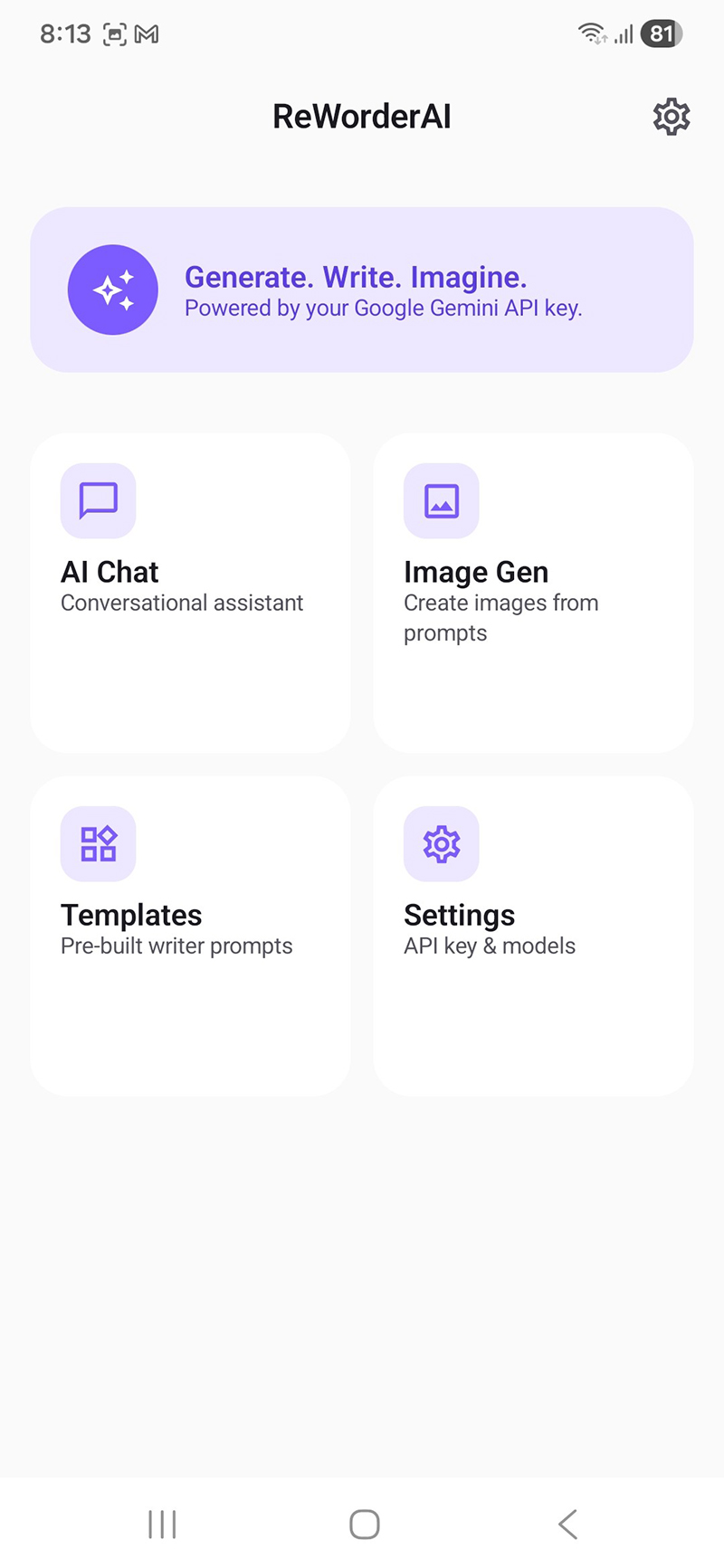
Beyond the full 98+ tool web platform, ReWorderAI is the free lightweight Android app — built for the moments when you don't need 98 tools, you just need one quick AI chat, one image, or one ready-made writing template on your phone. It's a focused, native Android companion that lives alongside the full ReWorder web experience.
ReWorderAI is intentionally smaller in scope than the web version. Where ReWorder web is your desktop content workspace, ReWorderAI is the pocket assistant: install it, paste a free Google Gemini API key once, and you're set. No ads, no subscription, no account required.
What's Inside ReWorderAI
- AI Chat — multi-turn conversations powered by Google Gemini. Brainstorm, draft, debug, ask anything. Free tier covers ~1,500 requests per day directly from Google.
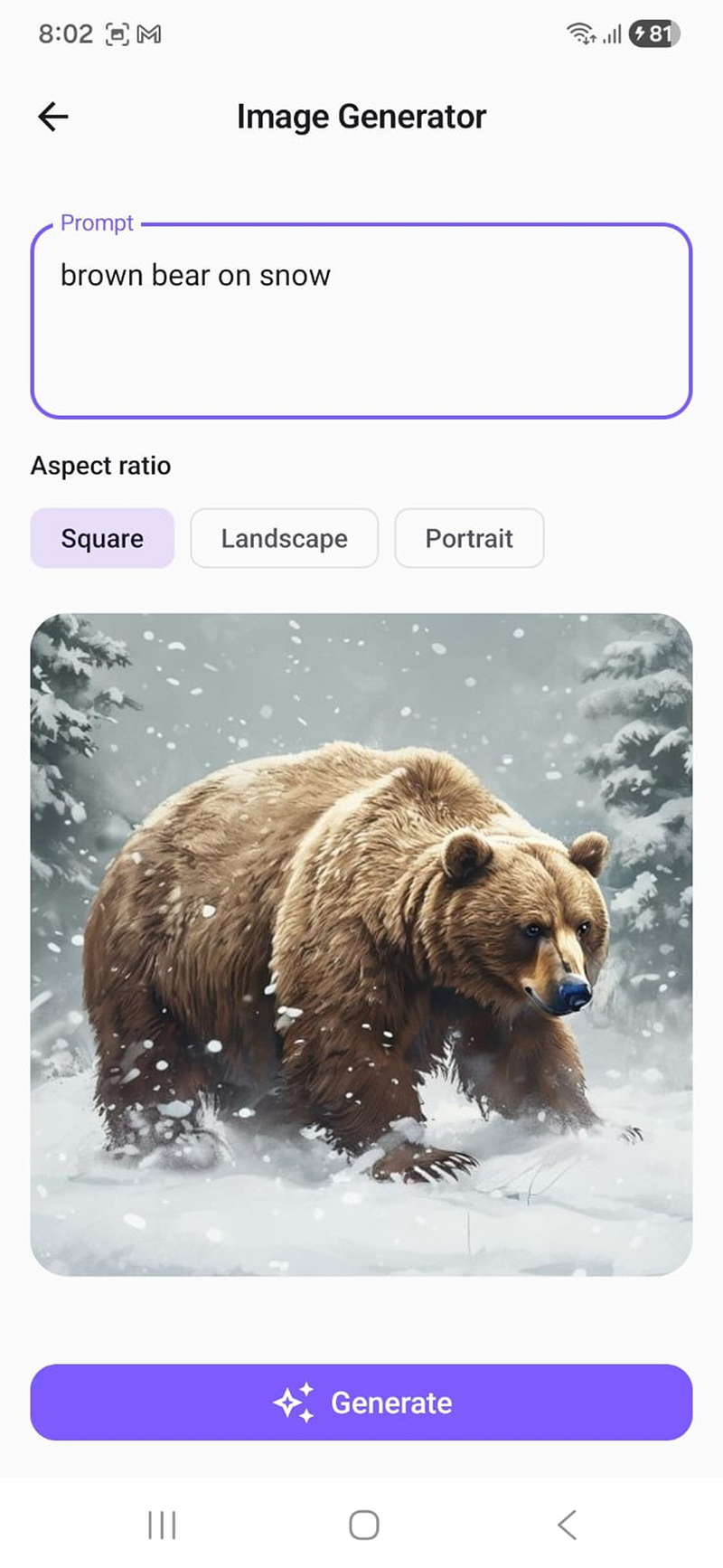
- Free Image Generation — turn text prompts into images. No quota, no billing, no API key required for image generation. Works out of the box.
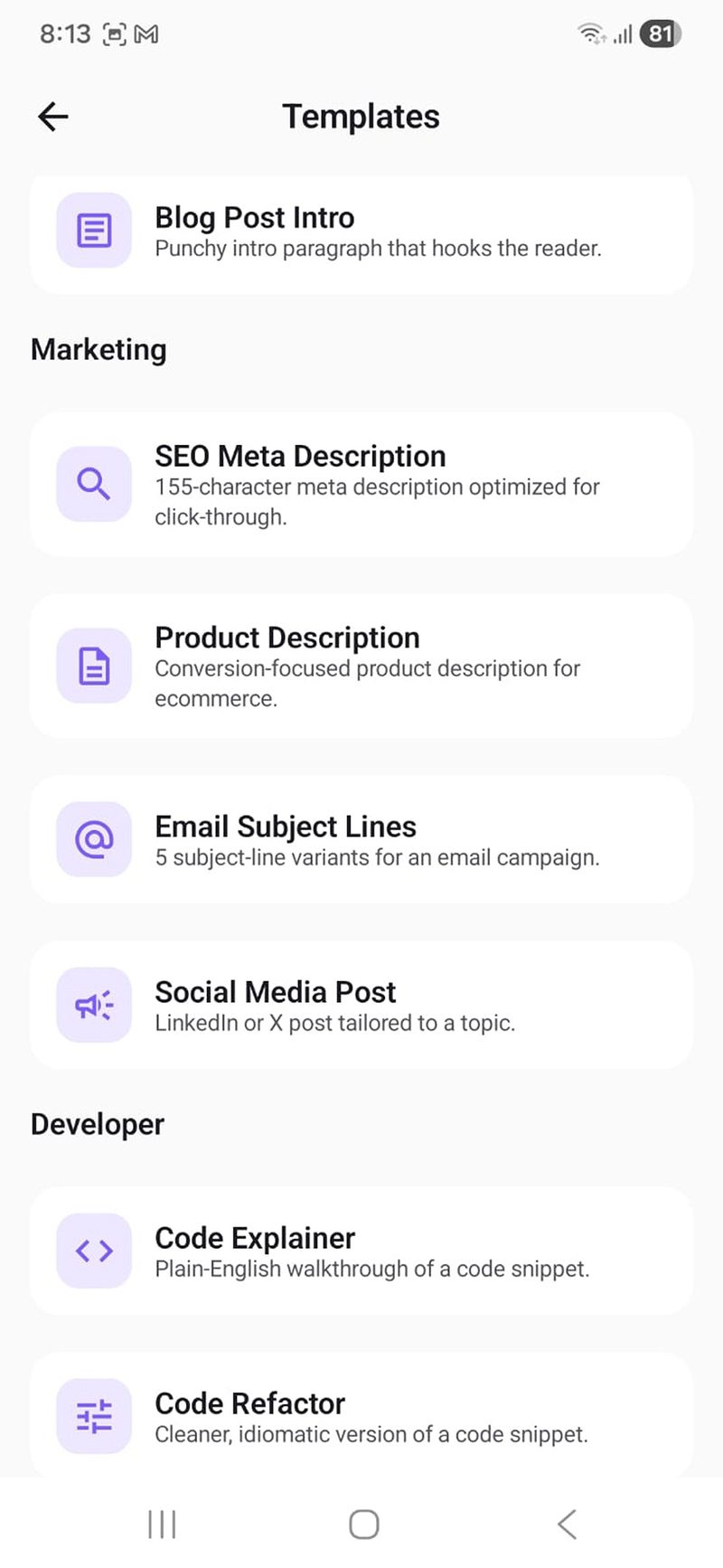
- 10 Writing Templates — Blog Post Intro, SEO Meta Description, Product Description, Email Subject Lines, Social Media Post, Code Explainer, Code Refactor, Summarize, Grammar Fixer, and Translate.
- Native Android UI — built with Jetpack Compose and Material 3. Light and dark themes, smooth animations, edge-to-edge display.
- Privacy-first — no analytics, no telemetry, no servers. Your Gemini key is stored locally on the device.
ReWorderAI vs ReWorder Web — Which Should You Use?
| ReWorderAI (Android lite) | ReWorder Web (full version) | |
|---|---|---|
| Price | Free forever | Free plan + paid tier |
| Account required | No account | Email signup |
| Number of tools | 3 features + 10 templates | 98+ writing tools |
| AI chat | Yes | Yes |
| Image generation | Yes — unlimited, free | — |
| Article generator | — | Yes |
| Full SEO & ad copy toolkit | 1 SEO template, 1 email template | Full suite |
| Platform | Android (APK) | Web (any browser) |
| Best for | Quick daily use on phone | Heavy content work on desktop |
The honest take: if you do your writing on a desktop and need the full breadth of tools (article generator, content rewriter, full email and ad copy suite), ReWorder web is what you want. ReWorderAI is the lite, mobile-first option for quick daily AI use on Android — the kind of tasks where opening a browser and logging in takes longer than the task itself.
System Requirements
| Platform | Android (APK download) |
| Minimum Android version | Android 8.0 (Oreo) or higher |
| APK size | ~5 MB |
| Account required | None — no signup |
| API key needed | Free Google Gemini key (chat only; image gen is keyless) |
| Internet connection | Required for all features |
How to Install ReWorderAI on Android
-
Tap the download button below to get
ReWorderAI.apk. - When you open the APK, Android may ask you to allow installs from this source — toggle it on, then tap Install. Some Android versions show a Play Protect warning since the app isn't on the Play Store yet; tap Install anyway.
- Open the app. The onboarding screen has a one-tap link to Google AI Studio for a free API key (no credit card required). Sign in, click Create API key, copy it, paste it in the app, and tap Save & continue.
- Image generation works immediately with no key. Chat and templates start working as soon as you save your Gemini key.
⬇ Download ReWorderAI.apk (Free)
Free download · No subscription · No ads · Android 8.0+
Related on Softlookup
- AskAI - Advanced AI Creator Kit
- Free AI Text to Speech with Gemini Voices
- Softlookup - Free Software Downloads
Screenshots
What is ReWorderAI and how is it different from the ReWorder web app?
ReWorderAI is the free lite version of ReWorder, built as a native Android app. Where ReWorder web has 98+ specialized writing tools designed for desktop work, ReWorderAI focuses on three things you'll use most on a phone: AI chat, free image generation, and a curated set of 10 writing templates (blog intros, SEO meta, product descriptions, email subject lines, code refactors, translations, and more). No subscription, no account, no ads.
Is ReWorderAI on the Google Play Store?
Currently APK-only — you download it directly from Softlookup. The app may be published to the Play Store in the future. Installing the APK is straightforward: tap the download link, allow installs from the source if Android prompts you, and tap install. The app works on Android 8.0 and newer.
Last updated: April 26, 2026.